If the filament is jammed in the detection module due to bending or widening at the front end, follow these steps:
 |
 |
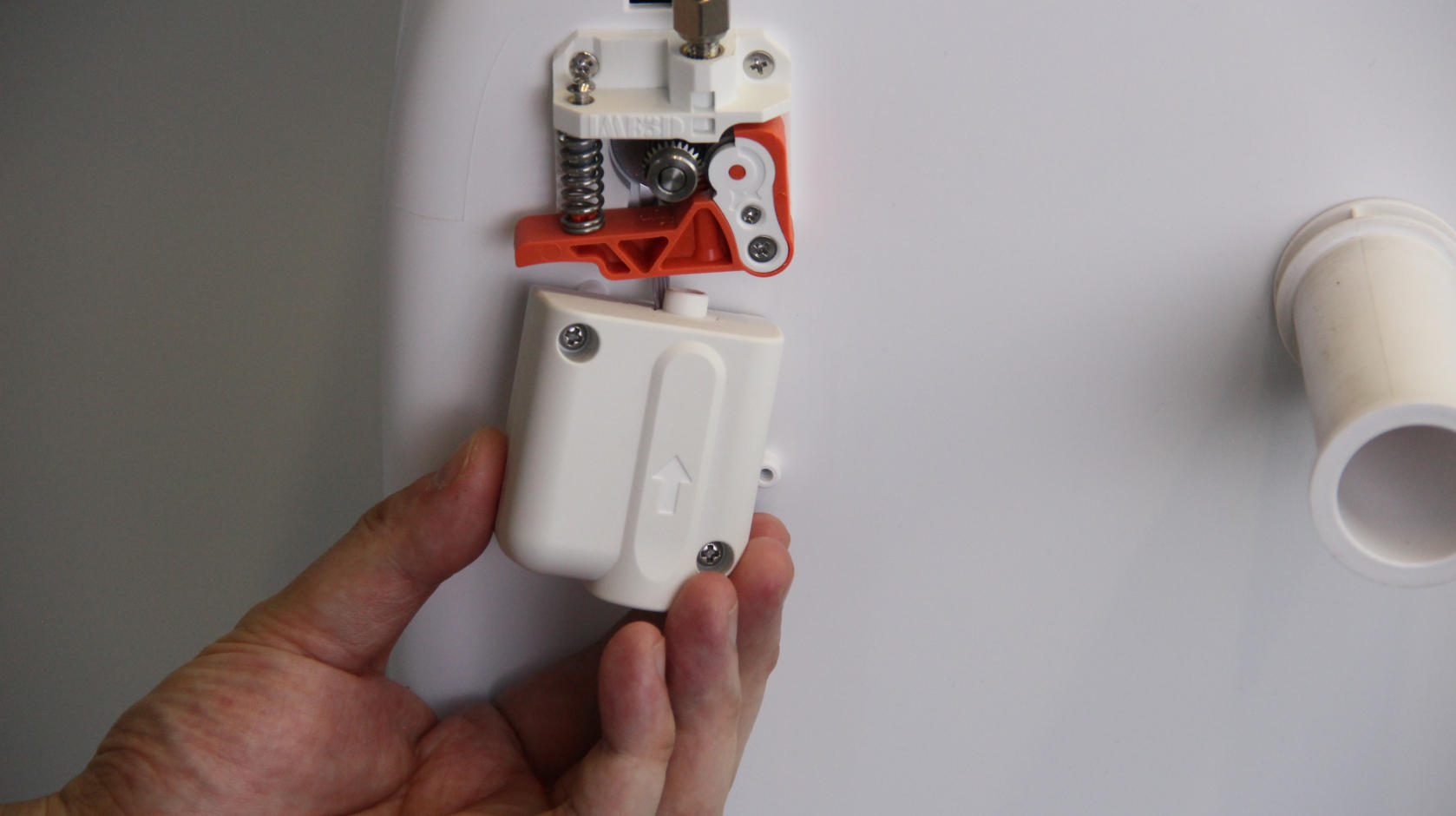 |
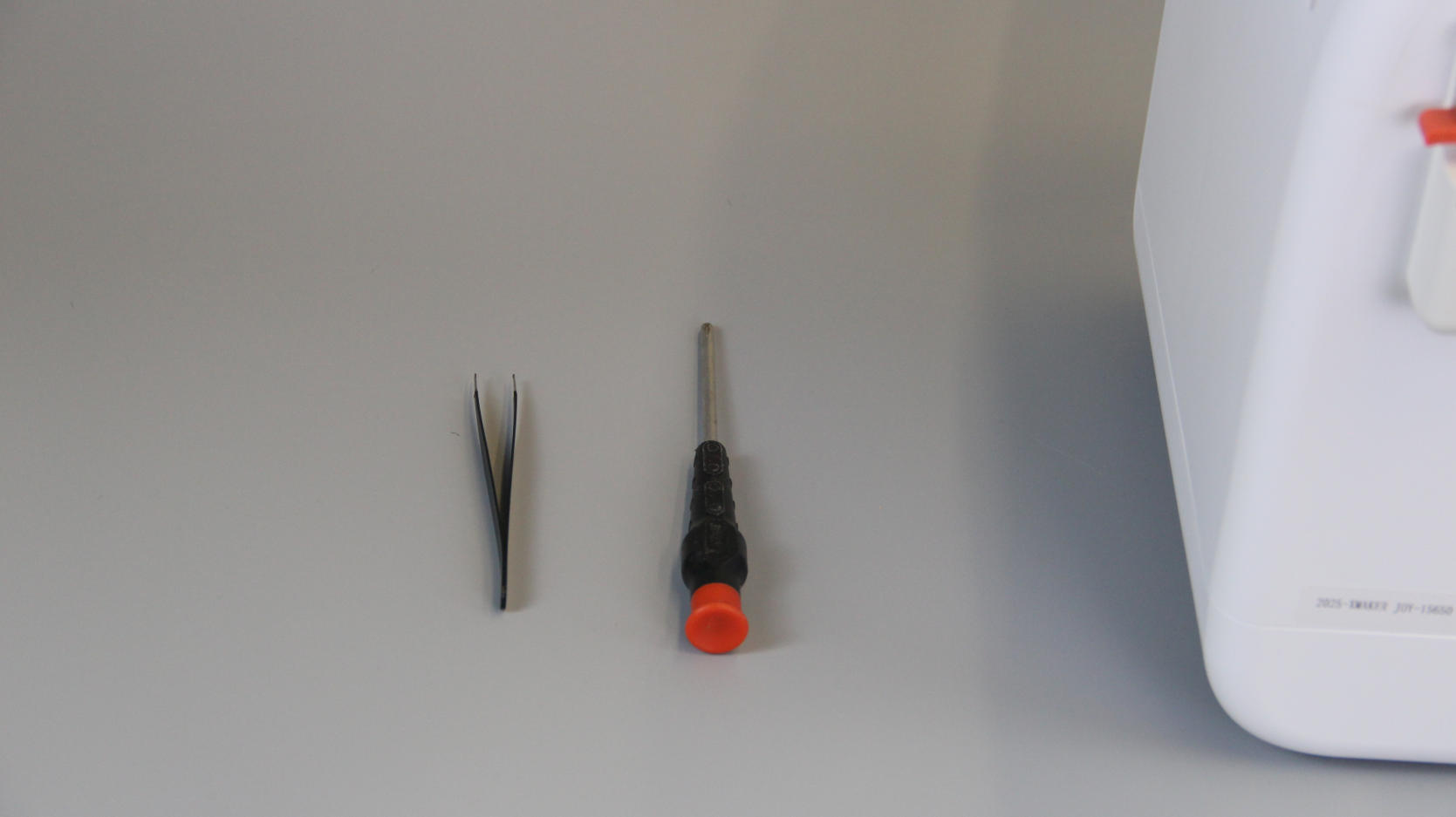
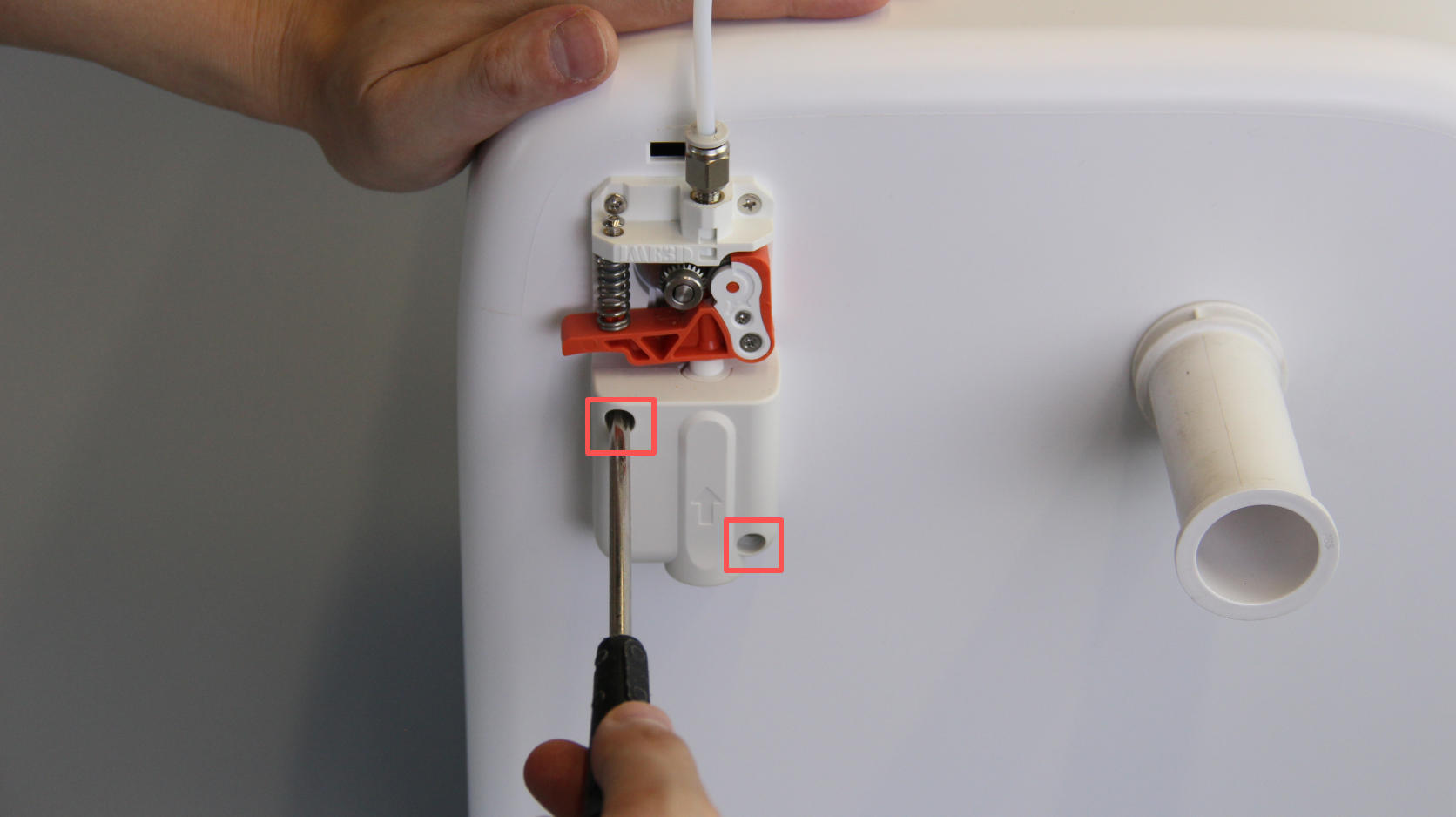
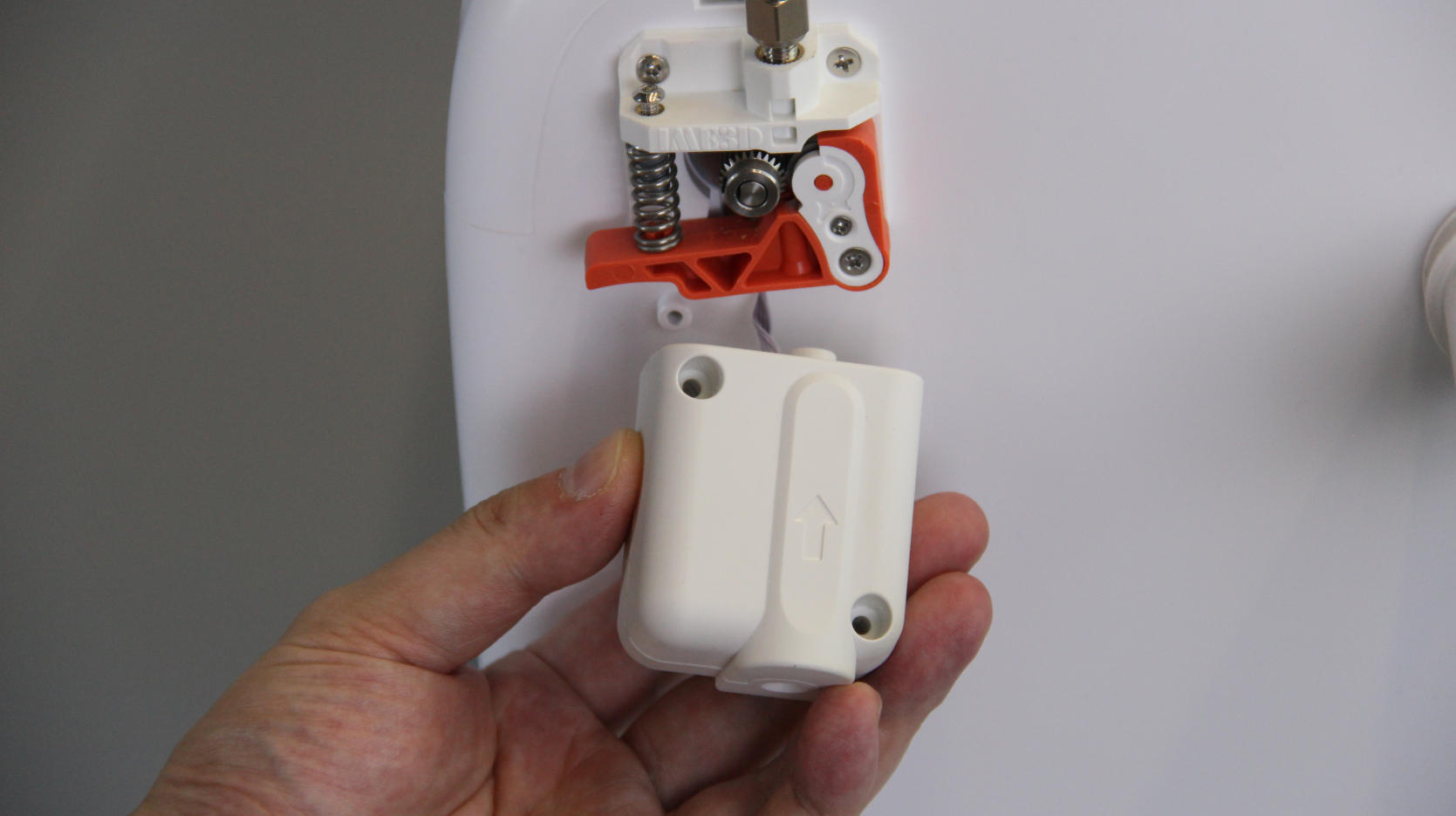
| 1. Prepare a Phillips screwdriver and a pair of tweezers. | 2. Use the screwdriver to remove the two screws securing the detection module. | 3. Gently pull the module outward to loosen it. |
 |
 |
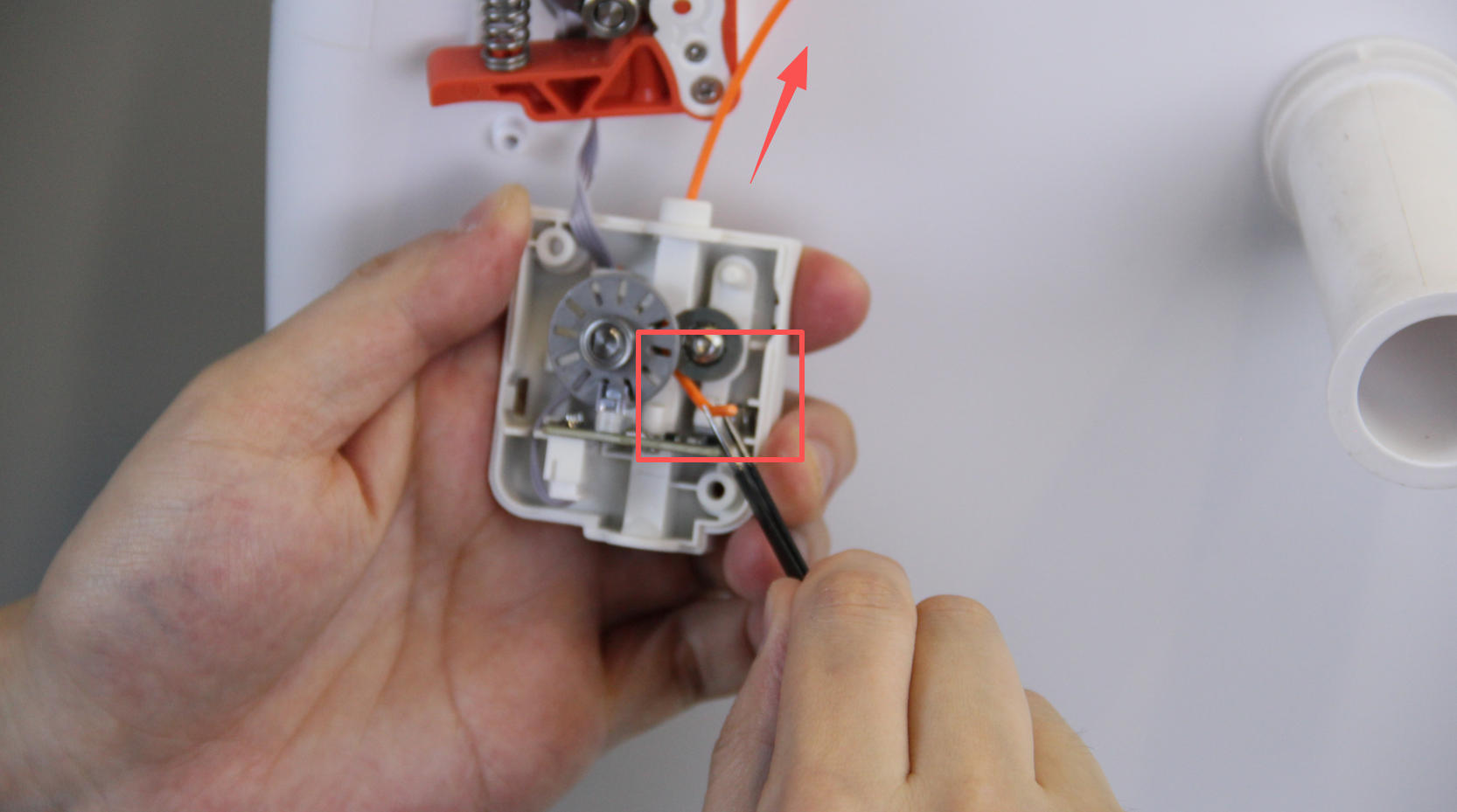 |
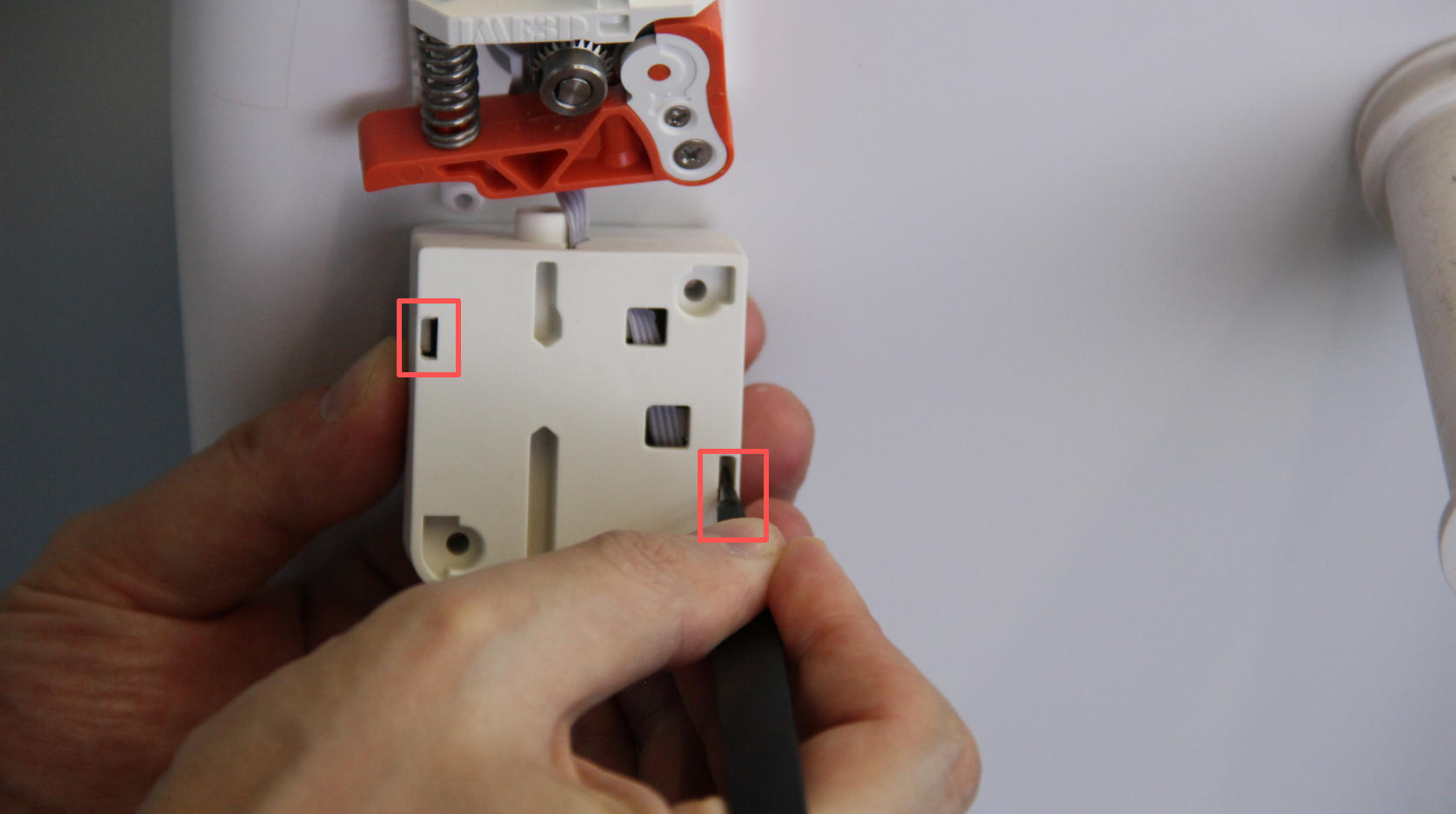
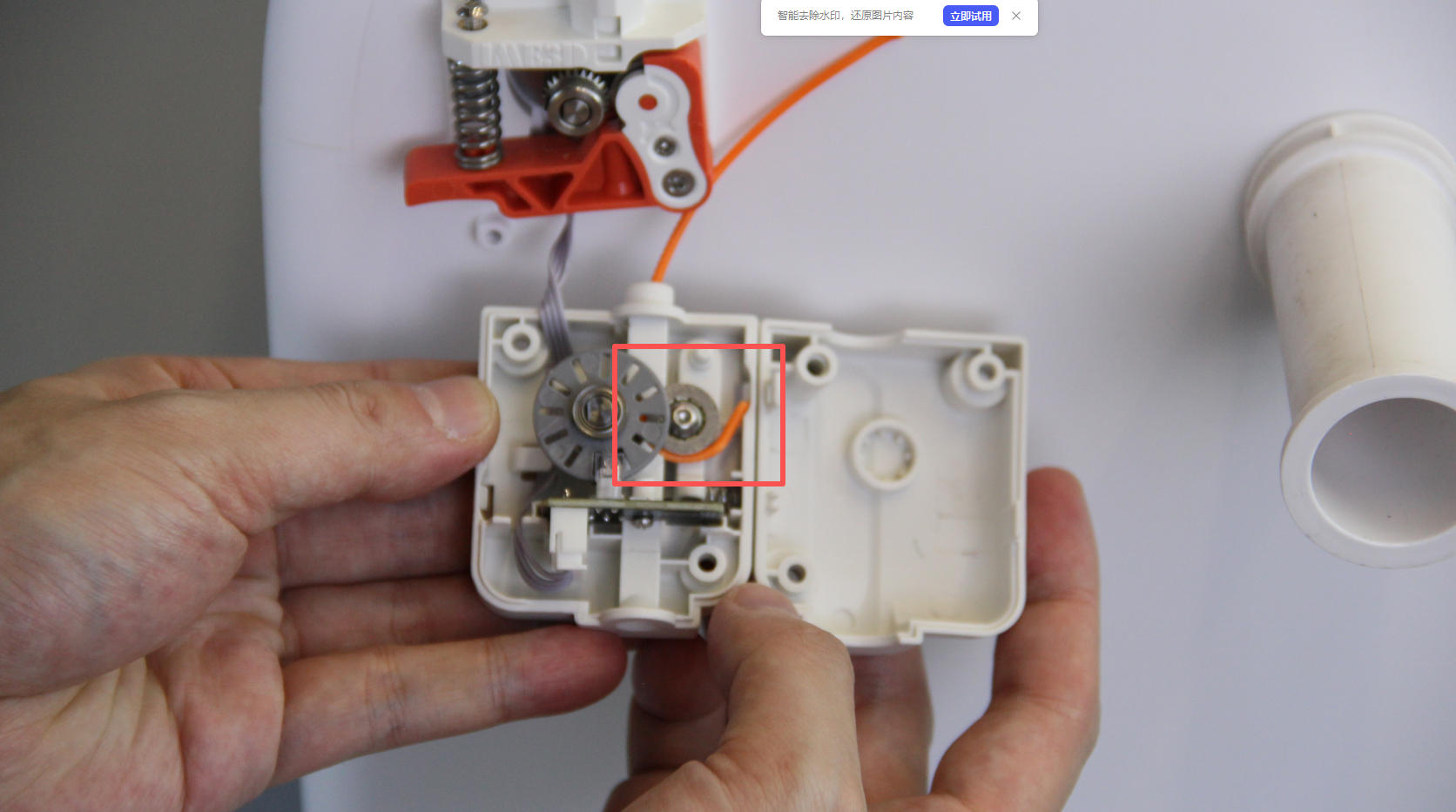
| 4. Rotate the module 180 degrees. Use tweezers to insert into the small holes at the top and bottom to release the internal clips. | 5. Open the module cover. You’ll see the filament jammed around the wheel. | 6. Use tweezers to straighten the filament tip so it can disengage from the wheel. Then pull it out from the top of the module by hand. |
 |
 |
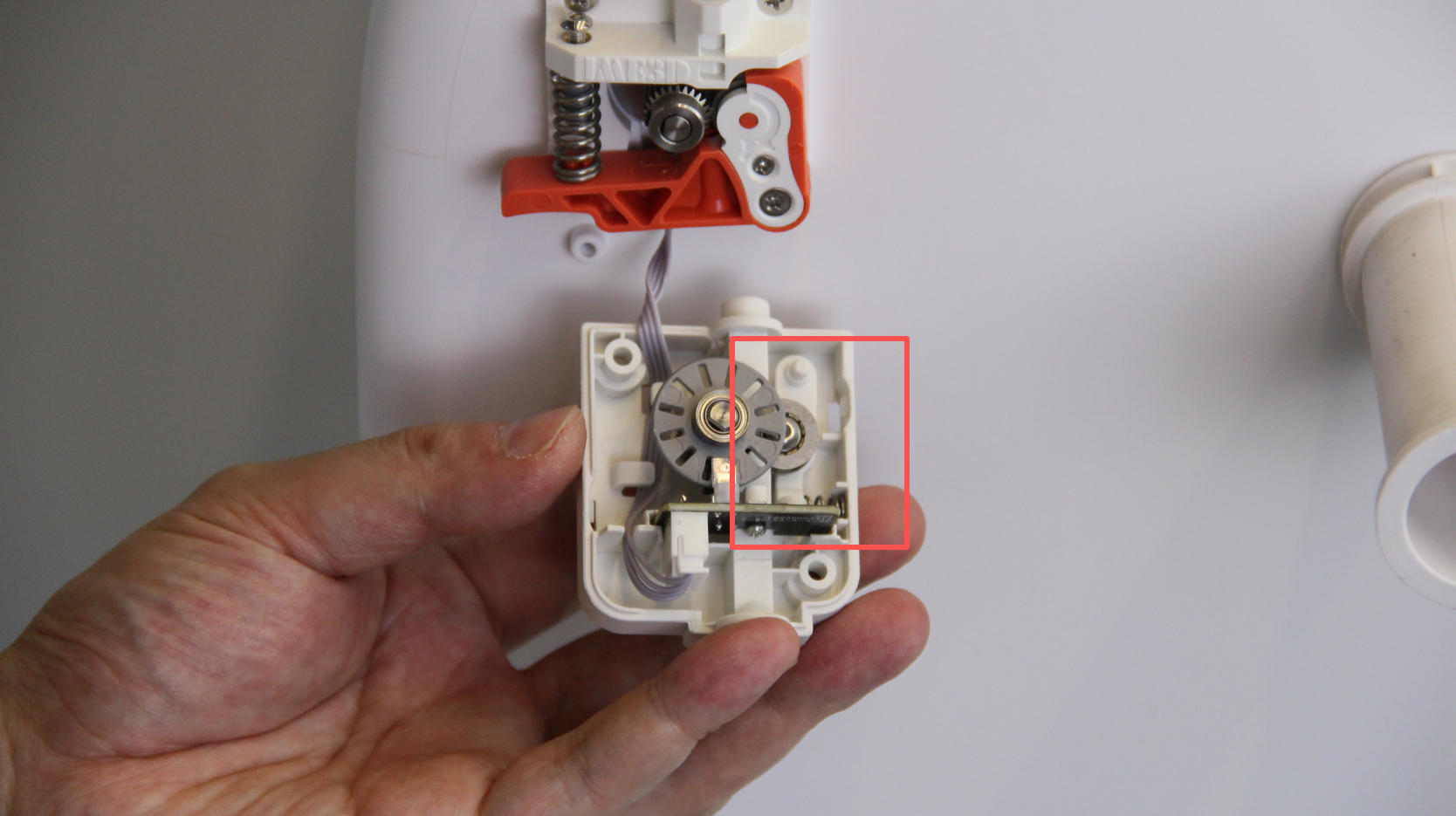 |
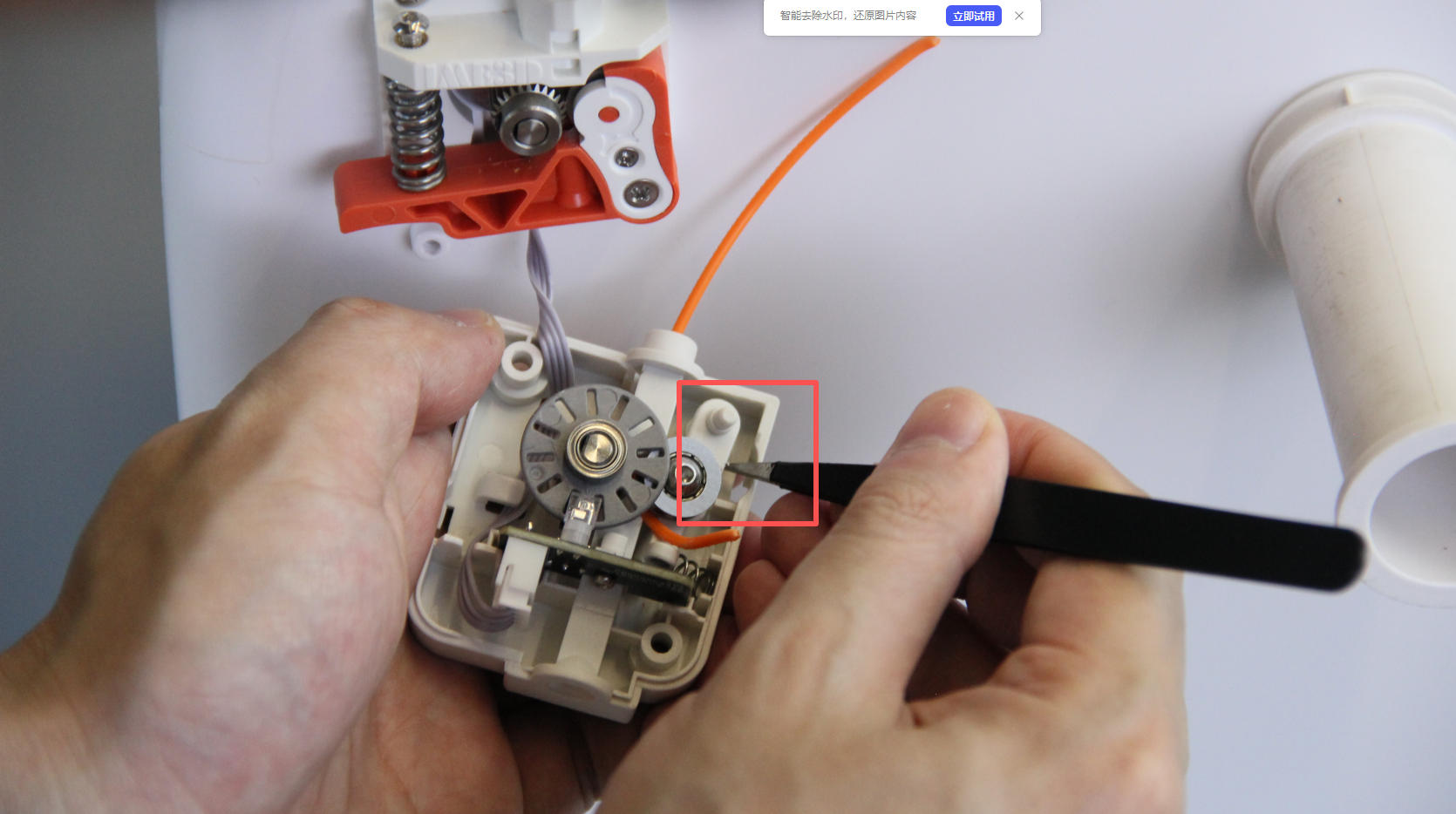
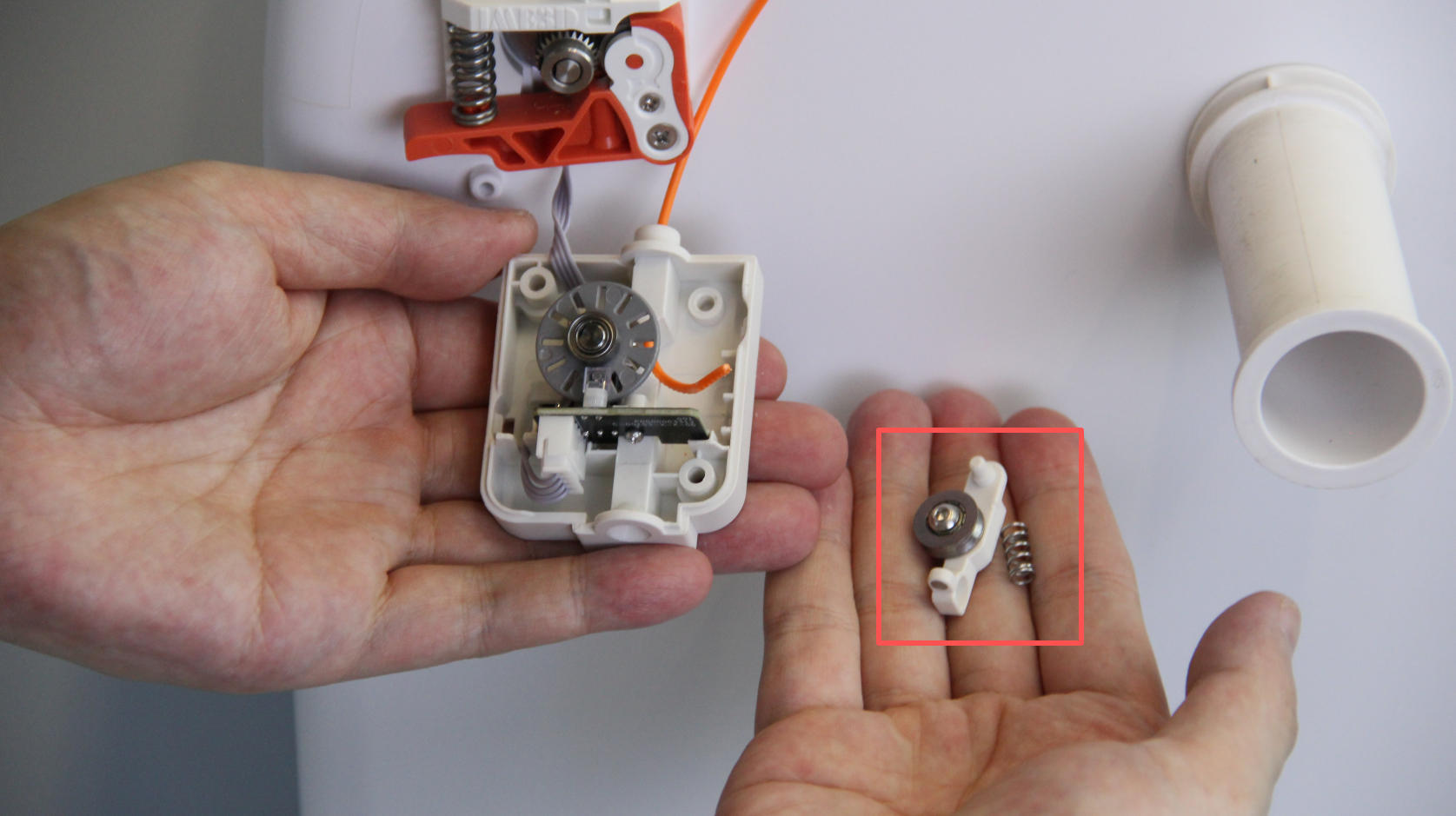
| 7. If the filament still doesn't come out easily, insert the tweezers under the white rocker arm and carefully pry it upward. | 8. Pull the filament out again from the top of the module. | 9. Reassemble the rocker arm, ensuring the spring is correctly positioned. |
 |
 |
|
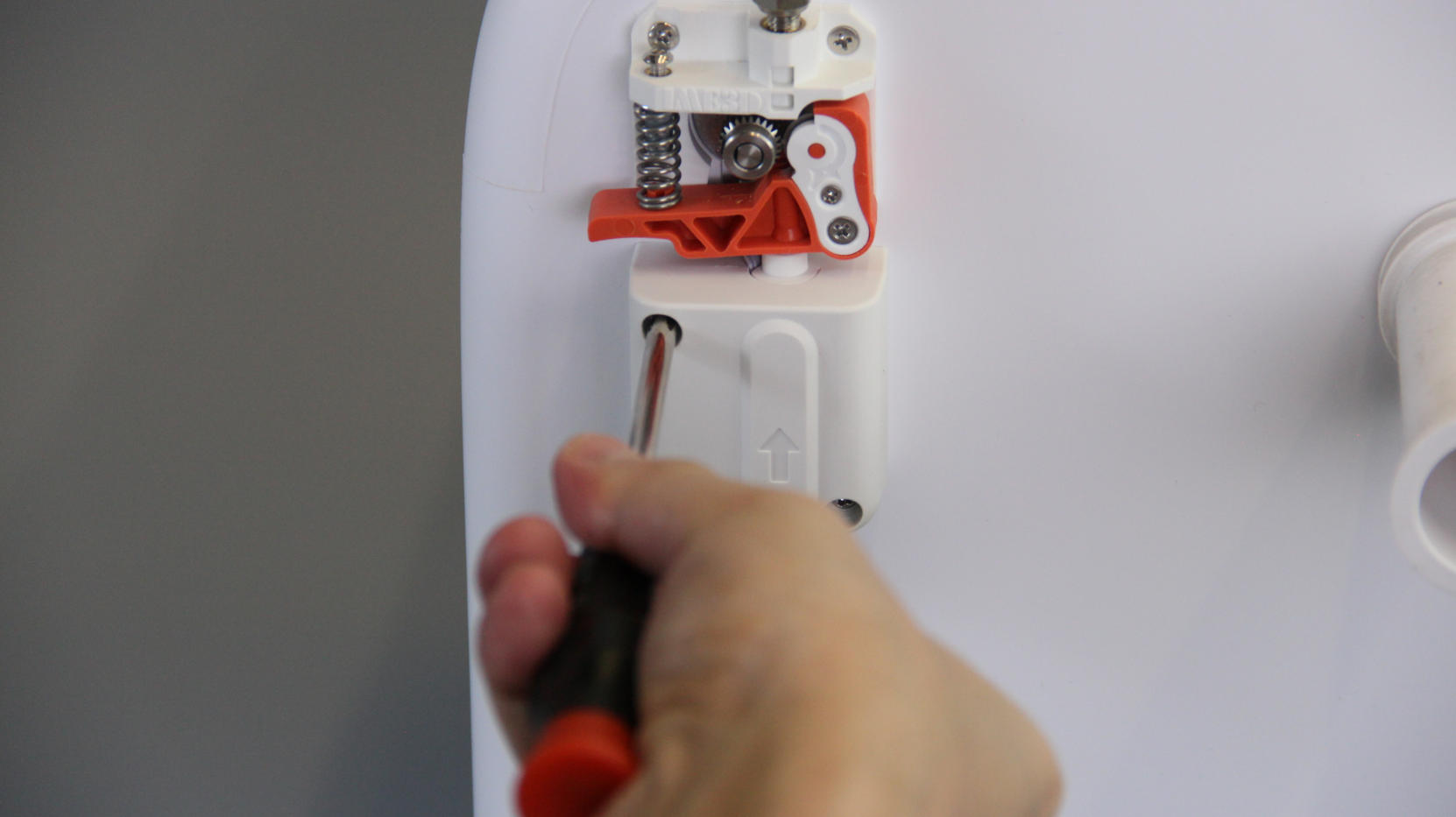
| 10. Close the module cover. | 11. Reinstall the module into its original position and tighten the screws. |
If there are any other questions, please contact us directly through service@aoseed.com.