¶ XMAKER App
.png)
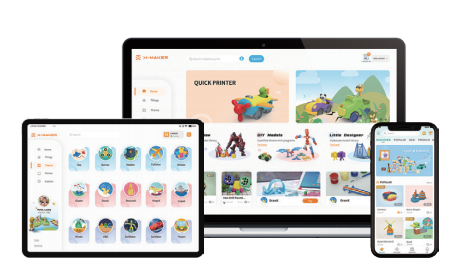
X-MAKER App is a highly integrated app designed specifically for the X-MAKER series of printers.
It enables remote monitoring and management, allowing users to easily track print progress and device status at any time. The app also greatly simplifies the printing workflow, offering one-tap printing for a wide variety of built-in models—making creation faster and more convenient than ever.
In addition, X-MAKER App includes a rich library of step-by-step guides and detailed tutorial videos. Whether you’re a beginner or an experienced user, you’ll find practical tips and valuable insights to help you get the most out of your X-MAKER series printer and unlock endless creative possibilities.
¶ XMAKER App for Phone
Mobile Version
¶ HOME
The Home page is divided into two main sections: Discover and Explore. In Discover, you can find the latest model updates, beginner guides, useful Wiki links, and real-time printer status information. Explore offers a wide range of printer tutorial videos, creative and fun ways to play, and a series of carefully curated premium courses.
¶ PRINTER
The Printer interface is a powerful, all-in-one control center. It allows users to start print jobs directly while also providing comprehensive tools for device maintenance and management. From this interface, users can easily monitor print progress, replace consumables, preheat the printer, and perform precise calibration—ensuring smooth operation and consistently high-quality results. This streamlined design greatly improves ease of use and overall productivity.
¶ TOYS
The Toys module features a curated collection of fun, well-designed models, along with models uploaded by users. With a wide range of styles and themes, these models are created to simplify the design process and make 3D printing accessible to everyone. Whether you’re new to 3D printing or an experienced maker, the Toys module lets you easily print models and enjoy the entire journey from concept to finished piece—making it a perfect companion for exploring the endless possibilities of 3D printing.
¶ CREATE
The Create section includes three playful, game-based design tools developed especially for kids, making the design process both easy and enjoyable. It also offers a convenient way to import and print external models, giving young creators the freedom to bring their ideas to life.
MiniMakie User Guide Video and MiniMakie Assembly Video
¶ ME
The Me section is your personal hub—your own space where all your cloud-saved favorites and creations are stored. With one tap, you can quickly access, view, and manage everything you’ve saved.
¶ XMAKER HD App for Tablet
 |
Tablet Version
The tablet version builds on the core features of the mobile app while introducing a dedicated Themes section to deliver a richer, more personalized 3D design experience. Below, we’ll walk you through the key features of this module and show how it adds creativity, fun, and convenience to the overall experience.
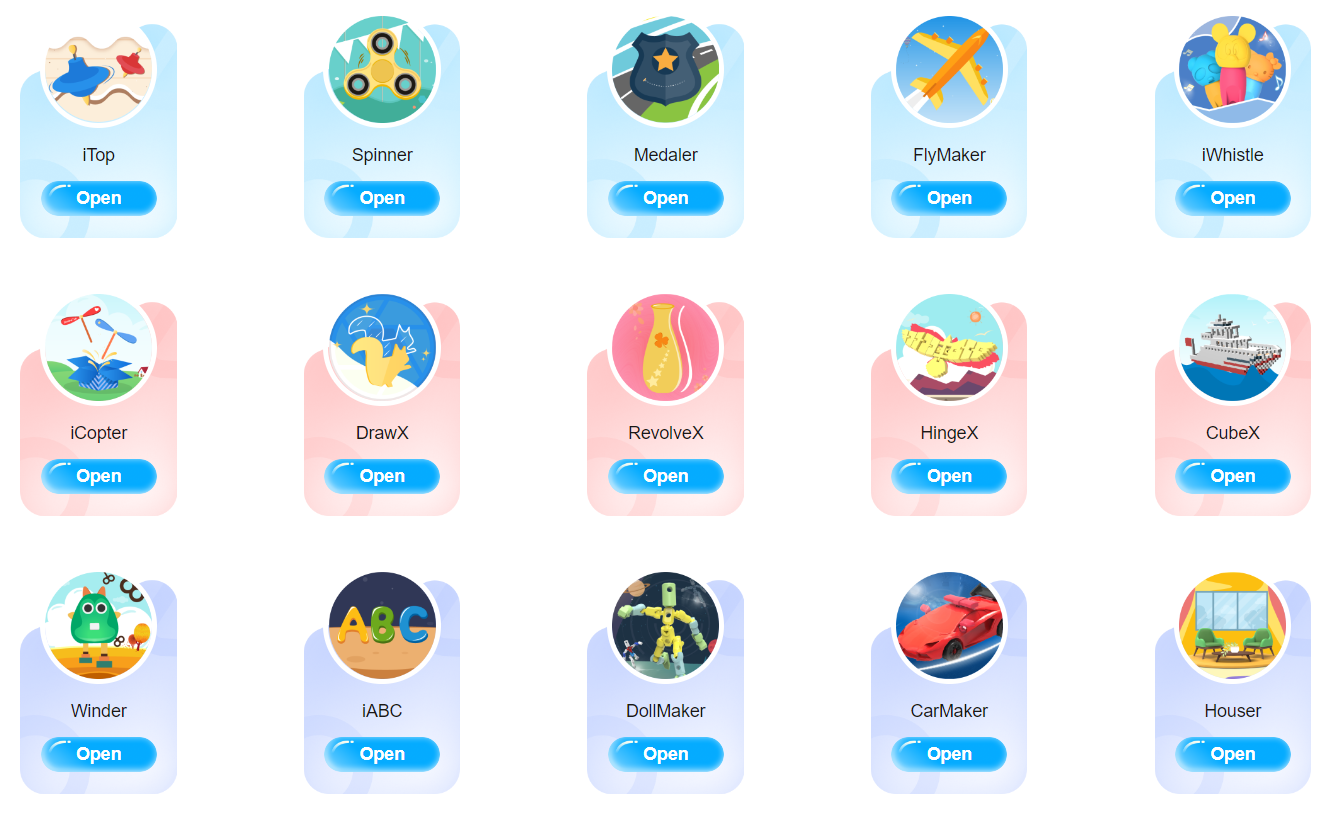
We’ve created a One-Tap Creative Modeling Box designed especially for kids. It includes 15 themed design apps, each combining learning and play. With one-tap modeling and one-tap printing, children can move effortlessly from idea to finished object. The interfaces are simple and intuitive, allowing kids to experience the joy of creating something from nothing in a relaxed, engaging environment. As an ideal introduction to 3D modeling, this tool focuses not only on ease of use, but also on sparking imagination and creativity.
¶ iTop
The iTop is a classic educational toy with a long history—and now it’s been reimagined with modern technology. The Spinning Top App blends 3D modeling with creative design, letting users create their own unique tops. Whether you’re looking for something new and exciting or feeling nostalgic for childhood play, this app lets you design and print your own spinning tops and rediscover the fun through hands-on creativity. Here is a guide video.
¶ Spinner
Inspired by the traditional spinning top but redefined through modern design, the Spinner takes smooth, balanced spinning to the next level. Paired with 3D printing, it allows users to quickly design and print customized spinners that are both fun and visually appealing. Experience the satisfaction of turning a digital idea into a physical object in just a few steps. Here is a guide video.
¶ Medaler
The Medaler features a user-friendly interface and a wide range of design tools that make it easy to create personalized badges. Once designed, your badge can be brought to life through 3D printing. Whether for personal keepsakes, school activities, or expressing team identity, this app helps turn creative ideas into meaningful, tangible symbols. Here is a guide video.
¶ FlyMaker
Using 3D printing technology, the FlyMaker recreates and enhances classic childhood paper airplane designs. These models retain the charm of traditional paper planes while offering refined shapes and improved performance. With simple design steps and easy printing, the app is a great way for kids to explore aerodynamics, creativity, and hands-on making. Here is a guide video.
¶ iWhistle
The iWhistle combines the charm of traditional whistles with modern 3D printing. By breaking away from conventional shapes, it enables highly personalized designs while still producing clear, functional sound. Each printed whistle reflects a blend of traditional craftsmanship and modern technology, giving new life to a classic instrument. Here is a guide video.
¶ iCopter
The iCopter brings together 3D printing and modeling technology to offer a seamless design-to-print experience. With just a few steps, users can customize and print their own bamboo dragonfly toy. This app is both a modern reinterpretation of a classic childhood toy and a celebration of creativity powered by technology. Here is a guide video.
¶ DrawX
Traditional doodling is limited to flat surfaces. DrawX changes that by transforming 2D drawings into three-dimensional models, which can then be printed into real-world objects. This technology bridges imagination and reality, making creativity more tangible than ever. Here is a guide video.
¶ RevolveX
RevolveX is a creative design tool that helps users build both practical household items and classic toys. With simple shape drawing—no advanced skills required—you can create small household tools, containers, spinning tops, and more. It’s an easy way to explore form, function, and imagination all in one place. Here is a guide video.
¶ HingeX
HingeX are essential mechanical components found everywhere—from doors and cabinets to windows and handles. Hinge World App combines design thinking with 3D printing to unlock new possibilities for movable structures. It opens up a new way for users to design, experiment, and bring functional models to life. Here is a guide video.
¶ CubeX
CubeX is an easy-to-use digital modeling tool based on small building blocks (also known as voxels). Users can stack and combine blocks freely to create 3D models. This approach simplifies 3D design while encouraging creativity, making it accessible even to beginners. Here is a guide video.
¶ Winder
The Winder blends the classic charm of mechanical wind-up toys with modern digital tools. By combining 3D modeling and 3D printing, it allows users to quickly turn imaginative ideas into physical models. With simple steps and instant results, the app delivers a strong sense of achievement and creative satisfaction. Here is a guide video.
¶ iABC
The iABC introduces kids to toy design through play-based learning. Children can design their own letters and numbers, adjusting size and layout before shaping them into 3D models. Once printed, each piece becomes a unique creation they can truly call their own—making learning both hands-on and fun. Here is a guide video.
¶ DollMaker
The DollMaker fuels children’s creativity with colorful characters and imaginative settings. Kids can mix and match character frames and accessories to build unique figures and create their own stories. Finished designs can even be 3D printed, turning imagination into something real to share and play with. Here is a guide video.
¶ CarMaker
The CarMaker combines classic car themes with DIY building and assembly play. Enhanced by 3D printing, each vehicle becomes a canvas for creativity. In this imaginative car world, every model is more than a toy—it’s an expression of a child’s ideas and dreams. Here is a guide video.
Tutorials & Learning Support
In addition to the image-based Wiki guides, we are also developing detailed video tutorials for the above 14 apps. These clear, step-by-step videos help users better understand features and techniques. You can find them both in the video links in Wiki and in the Explore section of the XMAKER App for tablet and PC.
¶ XMAKER HD App for PC
 |
 |
Desktop Version
Design
The Design section includes two thoughtfully developed design tools: Magic3D and Art3D. Below is an overview of each software and how they support creative learning.
¶ Magic3D
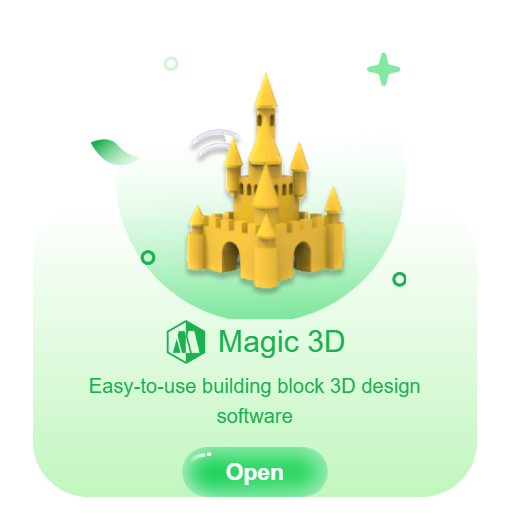
Magic3D is an entry-level 3D design tool that combines basic 3D geometric shapes with 2D sketching. It supports Boolean operations and spatial transformations, making it ideal for introducing core 3D design concepts. With a clean, intuitive interface and simple controls, the software is designed to help beginners and school students build spatial awareness and develop foundational 3D modeling skills. Here is a guide video.
¶ Art3D
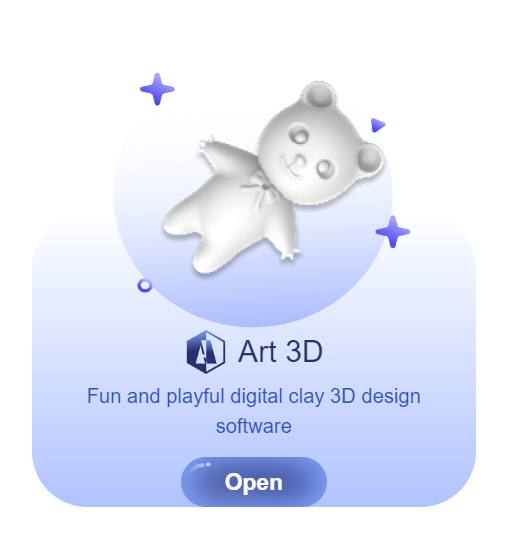
Art3D is a digital art and 3D sculpting tool created specifically for beginners and school students. It incorporates familiar tools such as brushes and sculpting functions commonly found in traditional art, helping users transition naturally from drawing to 3D creation. The streamlined interface and practical tool combinations are designed to spark creativity and encourage artistic exploration. Here is a guide video.
¶ X-PRINT
|
To further elevate the printing experience for advanced users, we have carefully developed the X-PRINT slicing software. This powerful tool gives users an unprecedented level of flexibility, allowing precise control over printing parameters based on specific project requirements and material characteristics. With fine-tuned adjustments, users can easily optimize print quality and performance—ensuring every creation meets, and even exceeds, expectations. Here is the X-PRINT User Manual.
¶ Downloads
Please visit https://www.aoseed.com/pages/apps-downloads for downloading our apps!
If you have any further questions, please contact service@aoseed.com for assistance.